
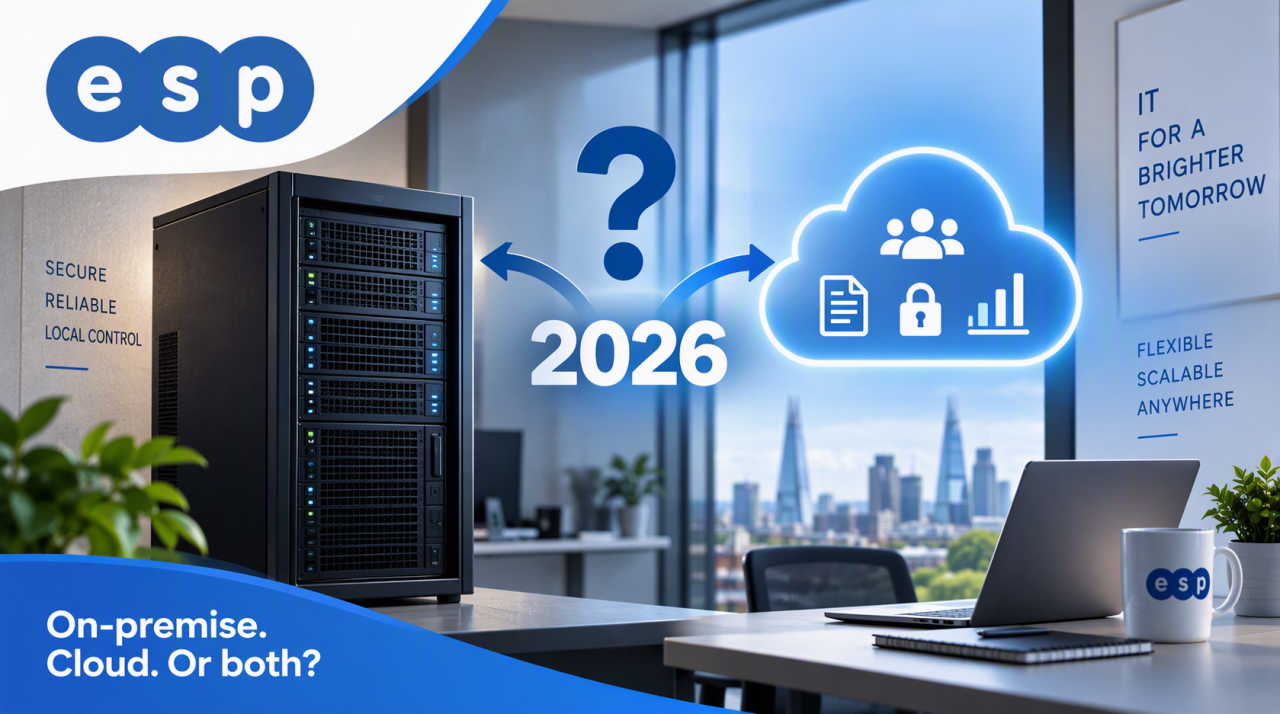
For many UK SMEs, a fully on-premise server is no longer the automatic choice in 2026. Cloud services can make remote working, collaboration and scaling easier, while a hybrid setup can keep selected systems on-site where there is a genuine technical or operational reason.
That does not mean every business should remove its local server. On-premise can still make sense for specialist applications, local production systems, unreliable connectivity or workloads that cannot easily be moved. The right answer depends on what the server actually does.
The correct approach is to assess each critical workload separately. This guide explains the trade-offs and how to decide whether to retain, replace, migrate or combine your existing infrastructure.
What Is an On-Premise Server?
An on-premise server is a piece of physical server hardware located at your premises or another site you control. It may host files, databases, business applications, authentication services or other workloads.
The business remains responsible for hardware lifecycle, power, physical security, operating system, updates, backups and recovery. Those tasks may be handled internally or through an IT support provider, but they still need to be planned and funded.
What Does Cloud Mean in This Decision?
Cloud is not one single replacement for a server. A business may use software-as-a-service applications, hosted virtual machines, cloud storage, Microsoft 365 or a combination of services. Moving a file server to online collaboration tools is a different project from moving a specialist application to hosted infrastructure.
The NCSC’s guidance on understanding cloud services recommends choosing the service and deployment model that suits the intended use. For businesses already using Microsoft 365, some workloads may already have moved away from the local server.
Cloud, On-Premise or Hybrid?
Cloud
Cloud services can reduce the need to buy and maintain physical hardware and can simplify remote or multi-site access. However, cost depends on consumption, and cloud still requires configuration, monitoring and security management.
On-premise
On-premise can provide direct physical control and suit systems that depend on local devices, very low latency or specialist hardware. The trade-off is responsibility for maintenance, resilience and eventual hardware replacement.
Hybrid
Hybrid combines both. A business might keep a production application on a local server while moving email, collaboration or backup elsewhere. For SMEs with legacy systems, this can be a practical transition rather than an all-or-nothing migration. ESP Projects’ IT projects service can support staged infrastructure changes.
Do Not Assume Cloud Is Automatically Cheaper
Some sites give fixed five-year totals for cloud and on-premise infrastructure. Those figures are too broad to use as a reliable SME benchmark. Server cost depends on specification, licences, support, backup, power and replacement cycles. Cloud cost depends on storage, processing, data transfer, backup, support and configuration.
Compare total cost of ownership. For on-premise, include hardware, warranties, software, maintenance, backup, power and replacement. For cloud, include subscription or consumption charges, support, security, backup and migration. The useful question is which option gives a workload the best combination of cost, resilience, performance and management effort.
When Keeping a Local Server Still Makes Sense
- A specialist application is not supported in a cloud environment.
- The workload depends on machinery or other local hardware.
- Very low latency is genuinely required.
- Internet connectivity is unreliable and the system must continue working locally.
- Migration would create disproportionate cost or operational risk.
These are workload decisions rather than reasons to keep every service on-premise. A manufacturer may retain a local production system while moving collaboration and backups elsewhere.
Remote Working Changes the Equation
A traditional local server was designed around users working on the same network. Remote access can be provided securely, but it requires planning around identity, VPNs, devices and connectivity.
Cloud services can simplify remote access, but security responsibilities remain. The NCSC’s guidance on using cloud services securely stresses that customers must still configure and operate cloud services safely. If your workforce is increasingly remote or multi-site, that should be part of the business case for reviewing local infrastructure.
Cloud Security Uses a Shared Responsibility Model
Security responsibilities change when services move to the cloud; they do not disappear.
The NCSC’s shared responsibility guidance explains that on-premise organisations are responsible for the whole service, while cloud responsibility is divided between provider and customer depending on the service used.
Your organisation may still be responsible for identity, access, configuration, data handling and incident response. Businesses seeking a practical security baseline can also review ESP Projects’ Cyber Essentials support alongside any infrastructure change.
Data Location and Compliance Need Careful Analysis
Many sites suggest that on-premise is required whenever data must remain physically in the UK. That is too simplistic. Cloud services can use UK data locations, and UK GDPR does not automatically require all personal data to stay in the UK.
The ICO’s international transfer guidance explains that use of an overseas cloud provider can involve restricted transfers depending on the contractual and processing arrangements. If a contract, regulator or customer imposes specific residency requirements, check those requirements directly rather than assuming ‘regulated’ means ‘must be on-premise’.
Disaster Recovery May Be the Deciding Factor
A server in one building creates concentration risk if there is no effective off-site recovery arrangement. Fire, flood, theft, hardware failure or ransomware can affect both systems and local backups if resilience has not been designed properly.
Cloud does not automatically guarantee perfect recovery. The NCSC’s cloud resilience guidance recommends checking whether availability commitments, failover and redundancy actually meet business needs.
Define a Recovery Time Objective (how quickly a service must return) and Recovery Point Objective (how much recent data loss is acceptable) for each critical system in your Disaster Recovery Plan. Then design backup and recovery around those requirements. ESP Projects’ cloud backup service can form part of that wider strategy where off-site protection is appropriate.
What About Legacy Applications?
Legacy software is one of the strongest reasons for a hybrid approach. Some applications can be moved with limited change; others need redesign, vendor support or replacement before migration is sensible.
Do not assume a ‘lift and shift’ is always quick or best. Test dependencies, licensing, integrations, performance, backups and recovery first. In some cases, retaining a stable application on-premise while modernising everything around it is the lower-risk decision.
A Practical Decision Checklist
- What does the server host, and which services are genuinely critical?
- Does any workload depend on local hardware, low latency or offline operation?
- How reliable is your internet connection?
- How many people work remotely or across multiple sites?
- What are the hardware age, warranty and support dates?
- What would five years of ownership actually cost?
- What would a realistic cloud or hybrid alternative cost?
- What RTO and RPO does each critical service require?
- Are there contractual or data-location requirements?
- Can the application vendor support the proposed hosting model?
So, Should Your Business Keep Its On-Premise Server?
Possibly, but only where there is a clear reason. In 2026, many SMEs can move some traditional server functions to cloud services, while others will benefit from hybrid infrastructure that retains specific local workloads.
The strongest decision is evidence-led: understand what the server does, calculate the real cost of keeping it, identify the requirements of each workload and compare those with a realistic cloud or hybrid alternative.
Book a consultation with ESP Projects to review your current server environment, identify which workloads should stay on-premise and build a practical migration or hybrid plan where moving to the cloud makes business sense.