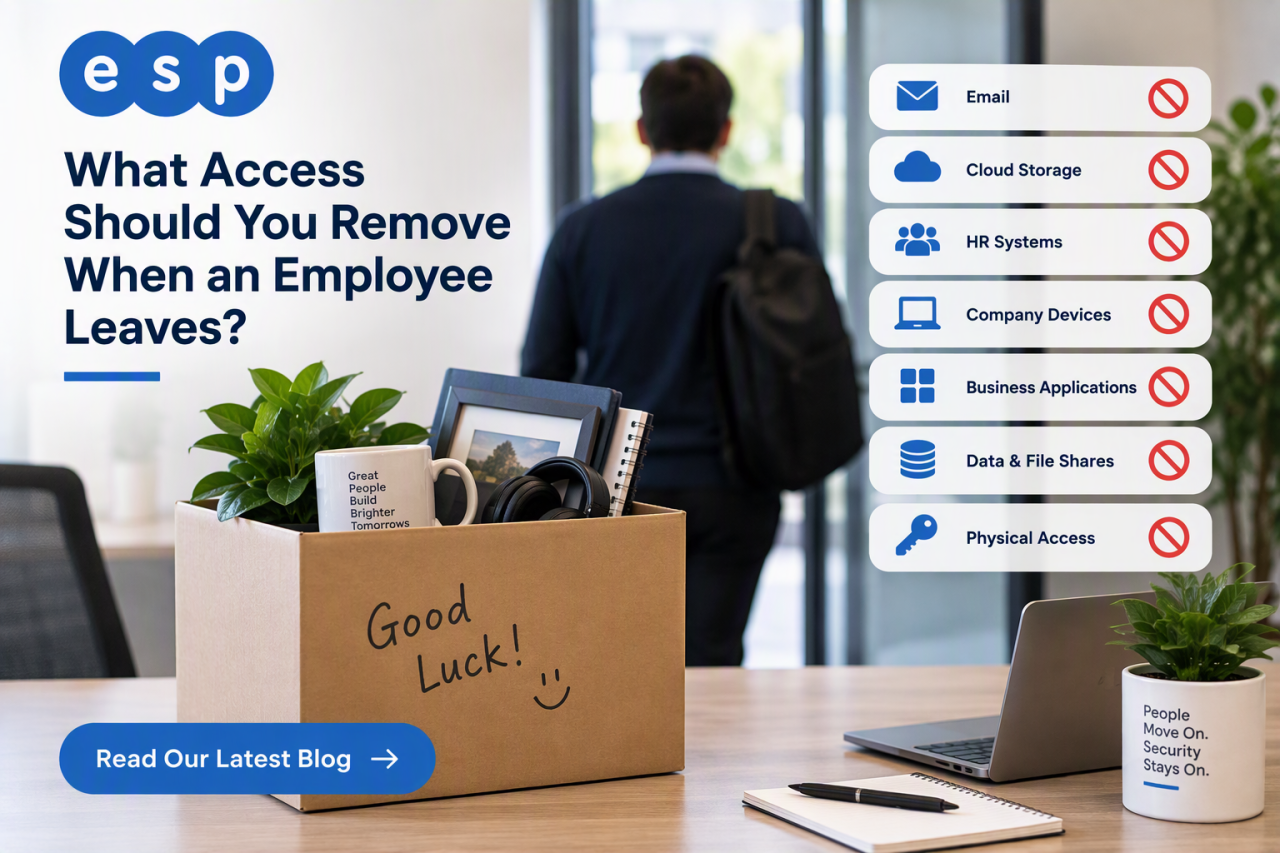
When an employee leaves, remove their ability to sign in to company systems at the agreed leaving time, then work through every other route they used to access business data. That usually includes Microsoft 365, cloud applications, shared accounts, VPN access, multi-factor authentication, company devices, physical access and any administrator permissions.
The key point is that offboarding is not the same as simply deleting a user account. You may need to preserve email, files, audit records or other business information before the account is eventually removed. A secure process protects company data while allowing work to continue after the person has gone.
This guide gives UK SMEs a practical IT offboarding checklist, explains who should own each step and shows what to review after departure.
Why Access Removal Matters
A former employee should not retain access because an account, app or shared password was forgotten. The National Cyber Security Centre’s identity and access management guidance recommends a clear joiners, movers and leavers process so access can be revoked when it is no longer required.
The Information Commissioner’s Office access-control guidance also expects organisations to remove leavers’ access rights in a timely manner and keep records showing that access has been removed.
Poor offboarding can leave behind active accounts, privileged permissions, VPN access, shared passwords, third-party SaaS accounts, access tokens and company data on devices.
The goal is not to distrust departing staff. It is to make sure access ends deliberately, at the right time, rather than being discovered weeks later.
Who Is Responsible for IT Offboarding?
Offboarding works best when HR, the line manager and IT have clearly defined roles. HR confirms the final working date and whether the departure is routine or sensitive. The manager identifies business systems, shared folders and specialist applications the employee used. IT removes access, secures devices and documents completion.
Businesses using managed IT services should agree this process with their provider in advance, including how much notice is required and who can authorise urgent action.
The IT Offboarding Checklist
1. Block Sign-In Before Deleting Anything
For Microsoft 365 users, the first task is normally to prevent sign-in, not immediately delete the account. Microsoft’s former-employee guidance separates blocking access from preserving email, OneDrive content, mobile devices and licences.
Depending on your environment, reset the password, sign the user out of active sessions and block future sign-in. If they had administrator rights, remove those privileges as part of the same controlled process.
For organisations using Microsoft 365, remember that offboarding covers Exchange, OneDrive, SharePoint and Teams, not just email.
2. Remove Administrator and Privileged Access
Privileged accounts deserve special attention because they can make changes far beyond an ordinary user account. Remove Global Administrator, local administrator, firewall, server, backup and application-level privileges that are no longer required.
If the leaver used a separate admin identity as well as a normal account, both must be included. This is also a good time to check whether your wider password policies still reflect how shared and privileged accounts are actually managed.
3. Revoke MFA, Sessions, Tokens and Remote Access
Changing a password does not cover every access route. Review registered authentication methods, trusted devices, active sessions, VPN profiles, personal access tokens, API keys and any SSH keys associated with the user.
Remove or reset the former employee’s registered MFA methods so a personal phone or hardware token cannot continue to approve access. Our guide to multi-factor authentication explains why MFA matters, but it must also be managed correctly when users leave.
4. Review Shared Accounts and Third-Party Apps
Shared credentials are easy to miss. If a former employee knew a password that other people still use, removing their individual account does not change that shared credential.
Check supplier portals, social media, CRM systems, finance applications, cloud platforms and specialist software. Change shared credentials where necessary and remove individual access from services that support named users.
5. Collect and Secure Company Devices
Recover laptops, phones, tablets, removable storage, security keys and other company-owned equipment. Check your asset records against what has actually been returned – CORE Software have a really Simple Asset Tracking Module in their Software Solution.
Before equipment is reissued, preserve any required business data, remove the previous user’s access and apply your standard secure build. If a departure exposes gaps in device ownership or permissions, an IT health check can help identify wider problems.
6. Preserve Business Data Before Removing Licences
Do not automatically delete an account because employment has ended. First decide what the business needs to retain and who should have access.
For Microsoft 365, this may involve preserving mailbox content, transferring OneDrive files, giving an authorised colleague access or converting a mailbox where appropriate. Keep data because there is a genuine business, legal or compliance need, not simply “just in case”.
Our guide to data retention strategies explains why retention periods should be defined instead of allowing former employee data to accumulate indefinitely.
7. Remove Physical Access
Disable keycards, alarm codes, door access, keys and any other physical permissions linked to the leaver. If facilities manages this separately from IT, include physical access in the same sign-off workflow.
Should You Forward a Former Employee’s Email?
Sometimes, but it should be a business decision rather than an automatic rule. You may need continuity for customers or suppliers, but indiscriminate forwarding can create privacy and data-minimisation issues.
Microsoft supports options such as forwarding new mail or converting a mailbox to a shared mailbox. Choose the option that matches the role, retention requirements and genuine business need. Do not simply give the replacement employee the leaver’s password.
What Happens During a Notice Period?
Most employees still need normal access while working their notice, so immediate lockout is not always appropriate. For a routine resignation, keep the access needed to perform the role and schedule revocation for the agreed final time.
For a sensitive or high-risk termination, HR and management may decide access must be removed immediately. The important point is that HR, the manager and IT agree the timing rather than assuming somebody else will handle it.
Do You Need to Monitor a Former Employee for 90 Days?
No universal UK rule says every former employee must be monitored for exactly 90 days. Jasper’s fixed 90-day recommendation is therefore too prescriptive.
A better approach is to define post-departure checks according to risk and your security policy. Review failed login attempts, unexpected forwarding rules, orphaned accounts, unusual access activity and service accounts or integrations owned by the leaver.
If these checks regularly uncover forgotten permissions, the wider joiners, movers and leavers process needs improvement. CORE Software also have a nice Simple Joiners and Leavers Module within their platform that notifies the right people at the right time that action is required. Preparing for Cyber Essentials can also help formalise account management and access control.
Quick Employee Offboarding Checklist
- Confirm the final working date and exact access-removal time.
- Block corporate sign-in and revoke active sessions.
- Remove administrator and privileged permissions.
- Reset or remove MFA methods, tokens and remote-access credentials.
- Remove access to shared accounts and third-party applications.
- Change shared passwords the leaver knew.
- Collect company devices, keys, fobs and security tokens.
- Transfer required files, mail and application ownership.
- Remove physical building access.
- Recover or reassign unused software licences.
- Complete an HR and IT sign-off.
- Carry out proportionate post-departure access checks.
Frequently Asked Questions
Should You Delete an Employee’s Account Immediately?
Usually not. First prevent sign-in and secure the organisation’s data. You may need the account temporarily to preserve email, files, audit records or business continuity. Delete it only after retention and ownership requirements have been dealt with.
Who Should Tell IT That an Employee Is Leaving?
There should be a formal HR or management trigger. IT needs enough notice to plan routine departures, while sensitive exits need a clearly authorised urgent process.
What Happens to the Employee’s Microsoft 365 Licence?
Once required data has been secured and offboarding is complete, the licence can normally be removed and reassigned where appropriate. Timing matters because removing a licence can affect access to data and services.
Should Small Businesses Have a Written Offboarding Policy?
Yes. A short repeatable checklist is usually enough. The value is consistency: every leaver should trigger the same questions about accounts, apps, devices, business data and physical access.
Build Offboarding Into Your IT Support Process
Secure offboarding is about making sure access reflects who currently works for the organisation. HR triggers the departure, the manager identifies what needs to be transferred, IT removes access, and somebody confirms that the checklist is complete.
Regular security awareness training can also help managers understand why shared credentials and informal account handovers create avoidable risk.
Book a consultation with ESP Projects for IT support in Sheffield and throughout Yorkshire to review your current offboarding process, identify forgotten access routes and create a repeatable checklist that protects company data whenever somebody leaves.